Description
Translate the texts of your HMIs and PLC programs with AI, and import them back without broken alarm variables, overlong texts or lost tags.
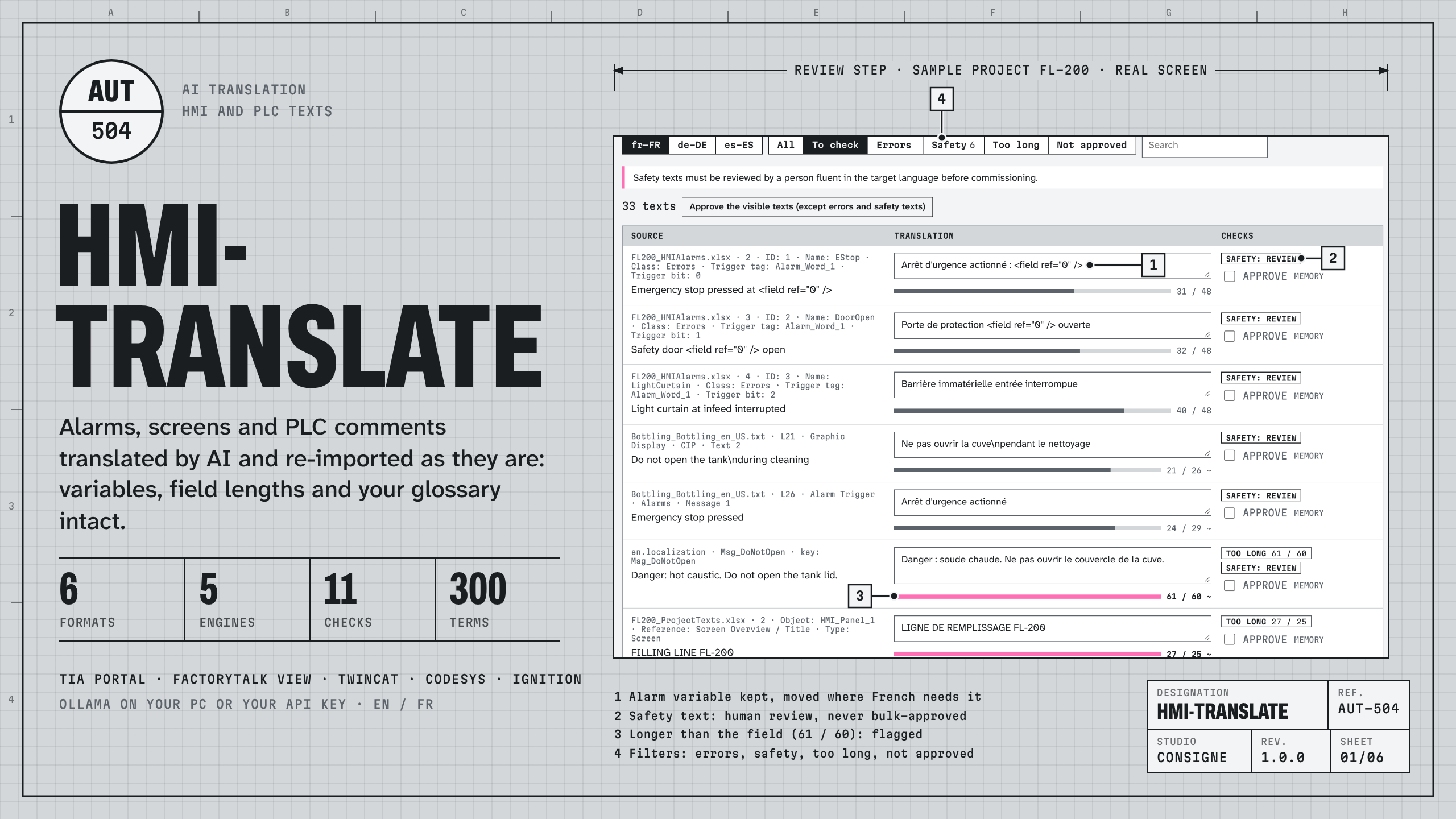
hmi-translate runs on your computer. Drop the files your engineering tool exports, choose the languages and the engine, review what the checks flag, and download files in the same format, ready for the import of your tool.
Formats, read and written as your tool does
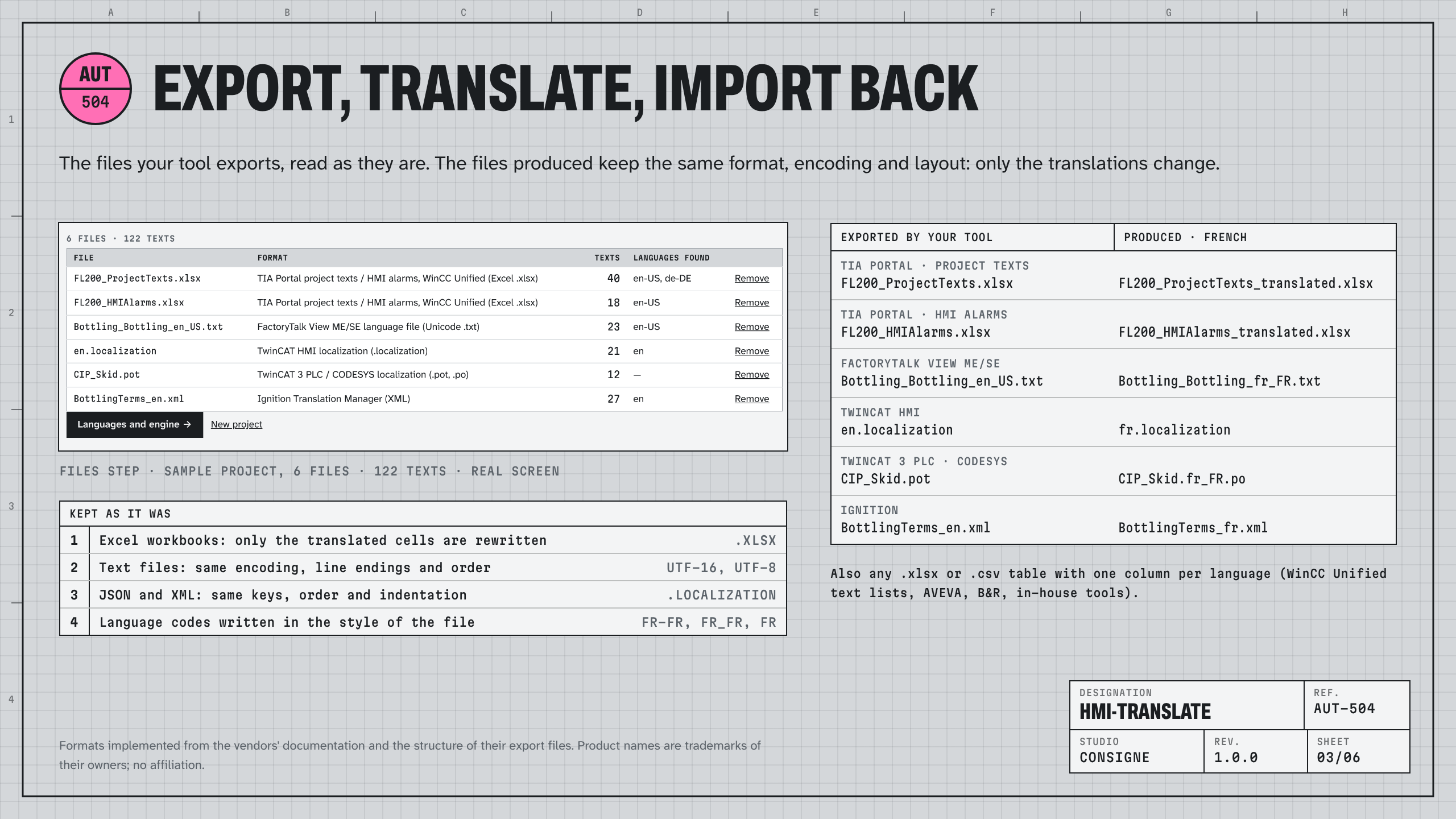
- TIA Portal / WinCC: project texts and HMI alarms (.xlsx)
- FactoryTalk View ME / SE: language files (Unicode .txt)
- TwinCAT HMI: localization files (.localization)
- TwinCAT 3 PLC and CODESYS: localization (.pot / .po)
- Ignition: Translation Manager (.xml / .properties)
- Any .xlsx or .csv table with one column per language
In Excel workbooks only the translated cells are rewritten; text files keep their encoding, line endings and order.
What the AI must not touch stays as it is
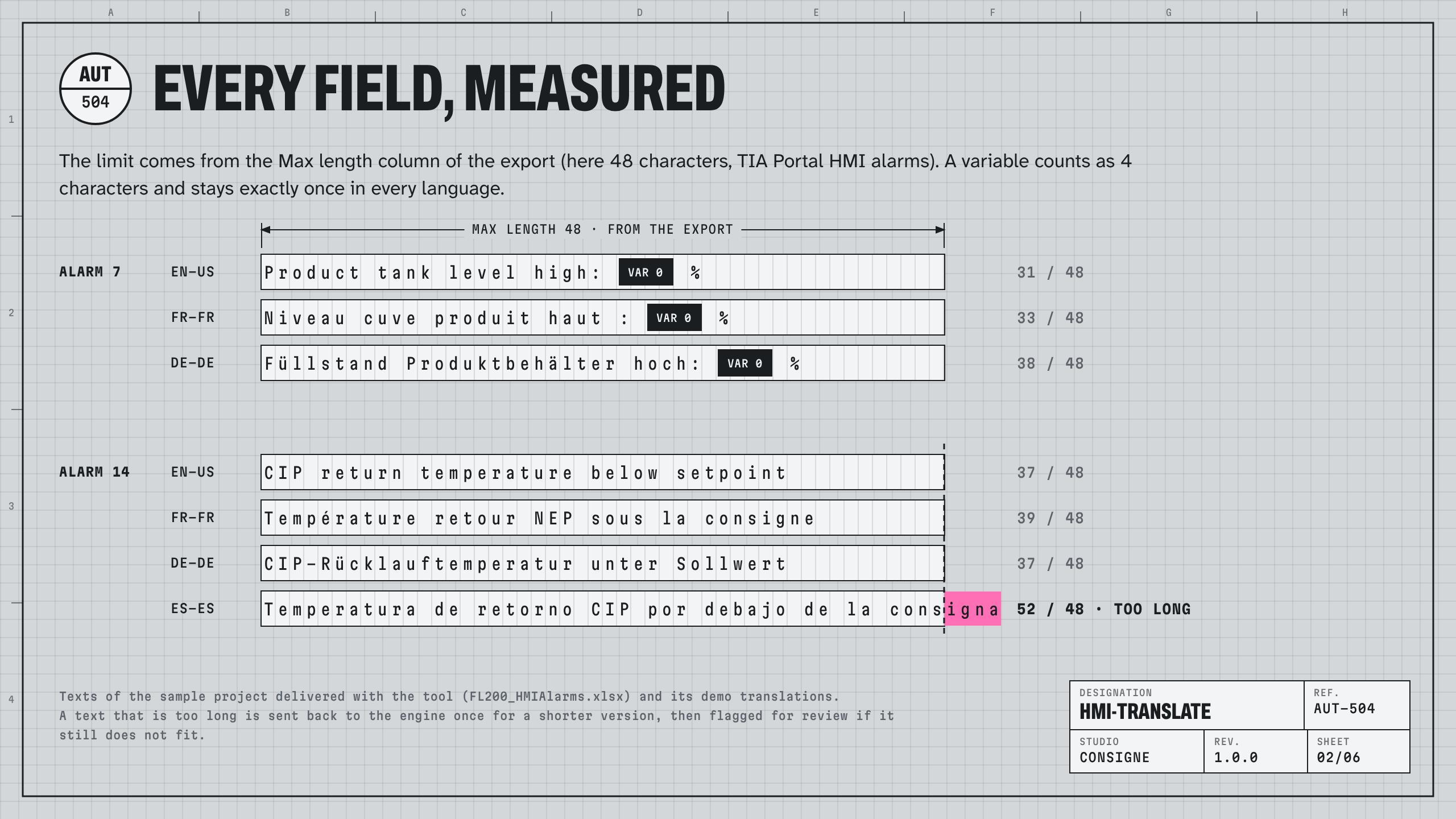
Alarm variables (<field ref="0" />, @1%d@, FactoryTalk embedded variables, TwinCAT symbols, {0}, %5.2f…), markup, equipment tags such as P-101, numbers and units are masked before translation and checked after it.
Eleven checks on every text
Variables present exactly once, length within the field (the Max length column of the export, or your rule), line count, tags, numbers, glossary terms, untranslated texts, final colon, safety texts (emergency stop, danger, warnings: always flagged for human review, never approved in bulk), consistency across the project. A text that is too long or misses a variable goes back once to the engine for a corrected version.
Your choice of engine
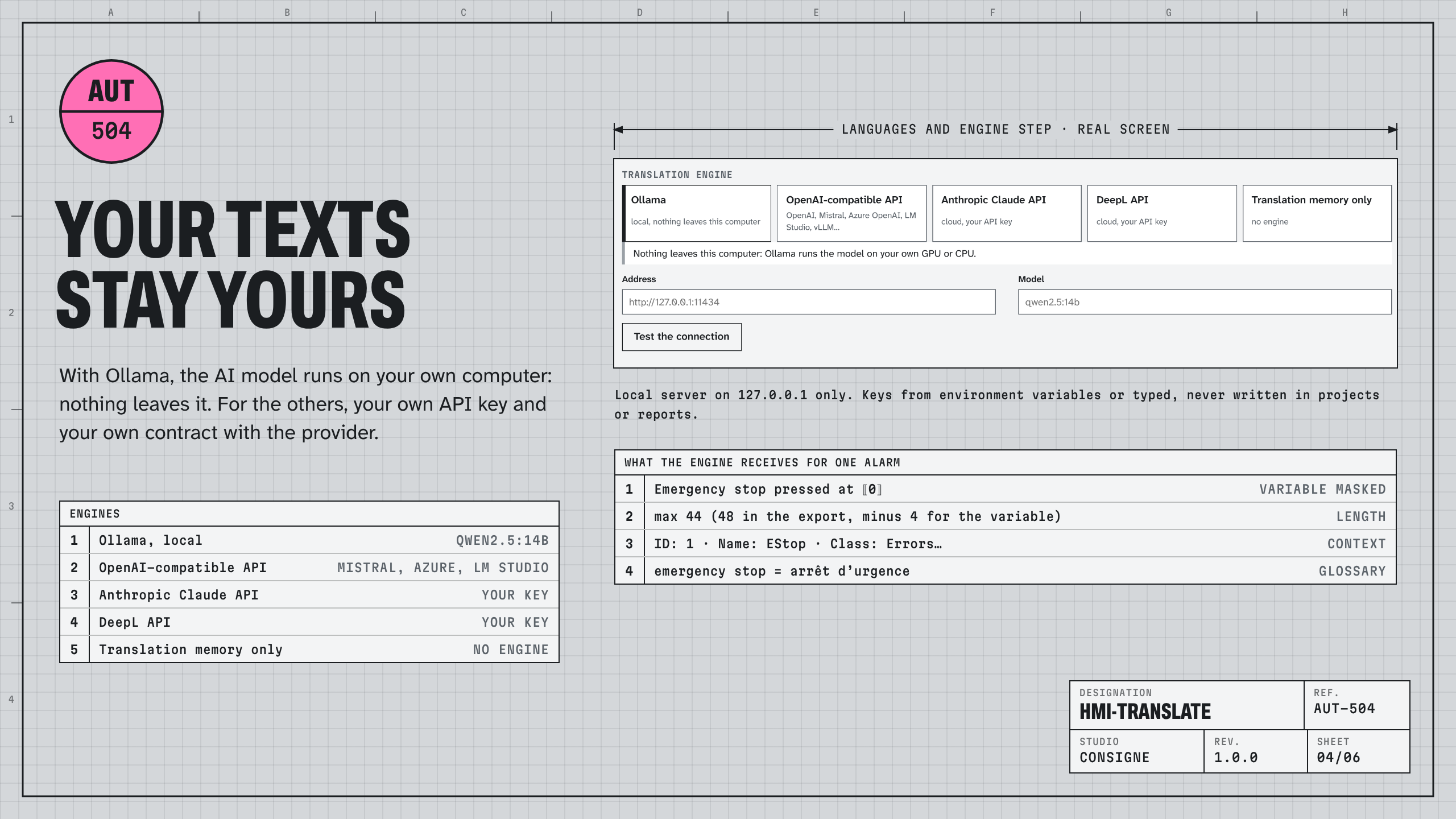
- Ollama on your own computer: nothing leaves it. Recommended model: qwen2.5:14b.
- OpenAI-compatible APIs (OpenAI, Azure OpenAI, Mistral, LM Studio, vLLM), Anthropic Claude API, DeepL API: with your own key and your own contract.
- Translation memory only.
Glossary and memory
300 industrial terms in 8 languages (English, French, German, Spanish, Italian, Portuguese, Polish, Chinese) built in; your company glossary (CSV) takes priority. Every translation you approve goes into your translation memory and is reused in the next projects; export it as TMX.
Delivered
- Windows package with Node.js included: unzip, double-click, the interface opens in your browser. Linux / macOS package (Node.js 20+).
- Interface in English and French. Command line for scripts and build pipelines (
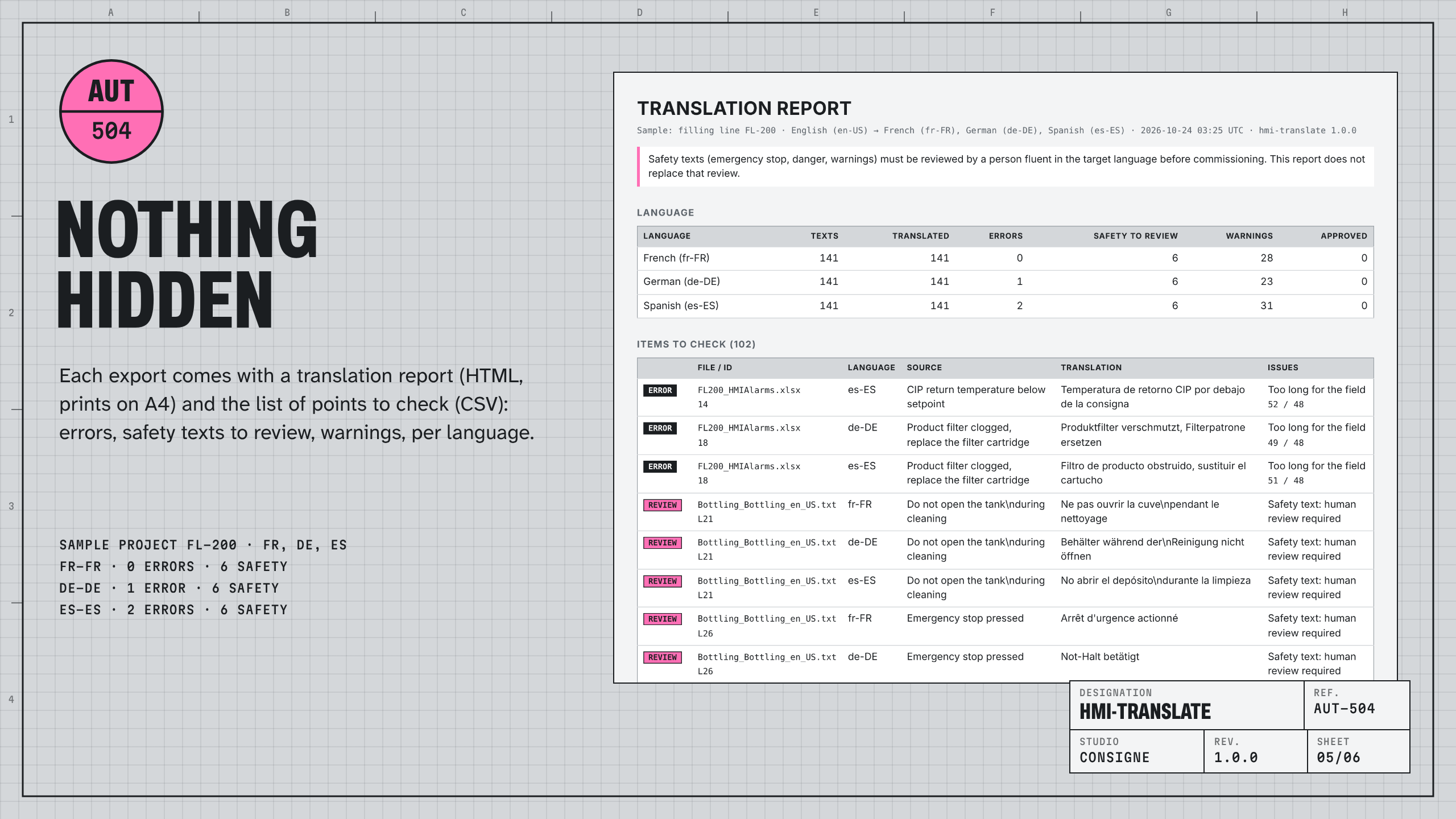
--fail-onexit codes). - Translation report (HTML, prints on A4) and list of points to check (CSV) with every export.
- User guide in English and French, sample project with six export files and a demo translation memory.
Licences
- Engineer: one named person, 12 months of use and updates.
- Machine builder: up to 5 named people of the same company, 12 months.
- A free trial (every feature, 500 texts per project) is available to test it on your own exports first.
Honest limits: the formats are implemented from the vendors' documentation and the structure of their export files, and tested on files built to that structure, not on customer projects. Import into a copy of your project first. Machine translation can be wrong: safety texts must be reviewed by a person fluent in the language before commissioning.
En français. hmi-translate traduit par IA les textes de vos IHM et automates (TIA Portal, FactoryTalk View, TwinCAT, CODESYS, Ignition), protège les variables d'alarme, contrôle la longueur des champs et votre glossaire, et rend des fichiers prêts à réimporter. Interface et guide en français. IA locale possible avec Ollama : rien ne quitte votre poste. Licence Ingénieur 490 € par an, Constructeur (5 personnes) 1 490 € par an.
Support: support@consignestudio.fr
FAQ
Do I need an AI subscription? No. With Ollama (free) the model runs on your computer. A graphics card with 12 GB or more is comfortable for qwen2.5:14b; smaller models run on smaller machines, with more texts to review. Cloud engines need your own API key.
Is my project sent anywhere? Not with Ollama or the memory: everything stays on your computer. The interface is served on 127.0.0.1 only. With a cloud engine, texts go to that provider only.
Will the import into my tool work? The files keep the format, encoding and layout of the export, and only the translations change. The formats are implemented from the vendors' documentation; do the first import in a copy of the project and check a few screens. If an export of yours is not read correctly, send it to support@consignestudio.fr.
Which languages? Any language the engine knows; 37 are proposed in the interface and any language code is accepted. The built-in glossary covers 8 languages.
Can I try it first? Yes: the free trial has every feature, limited to 500 distinct texts per project. The 14-day refund applies to the licence too.
What happens after 12 months? Buy a new licence to keep using it and to get the updates. The files, glossary and memory you produced stay yours.
Is it certified for safety texts? No. It flags them for review; they can only be approved one by one, by a person.
Windows warns that the file is from the internet. The launcher is a plain .cmd file that starts the included Node.js runtime; you can read it with Notepad. Unblock the zip (Properties › Unblock) before unzipping if your company policy requires it.