Description
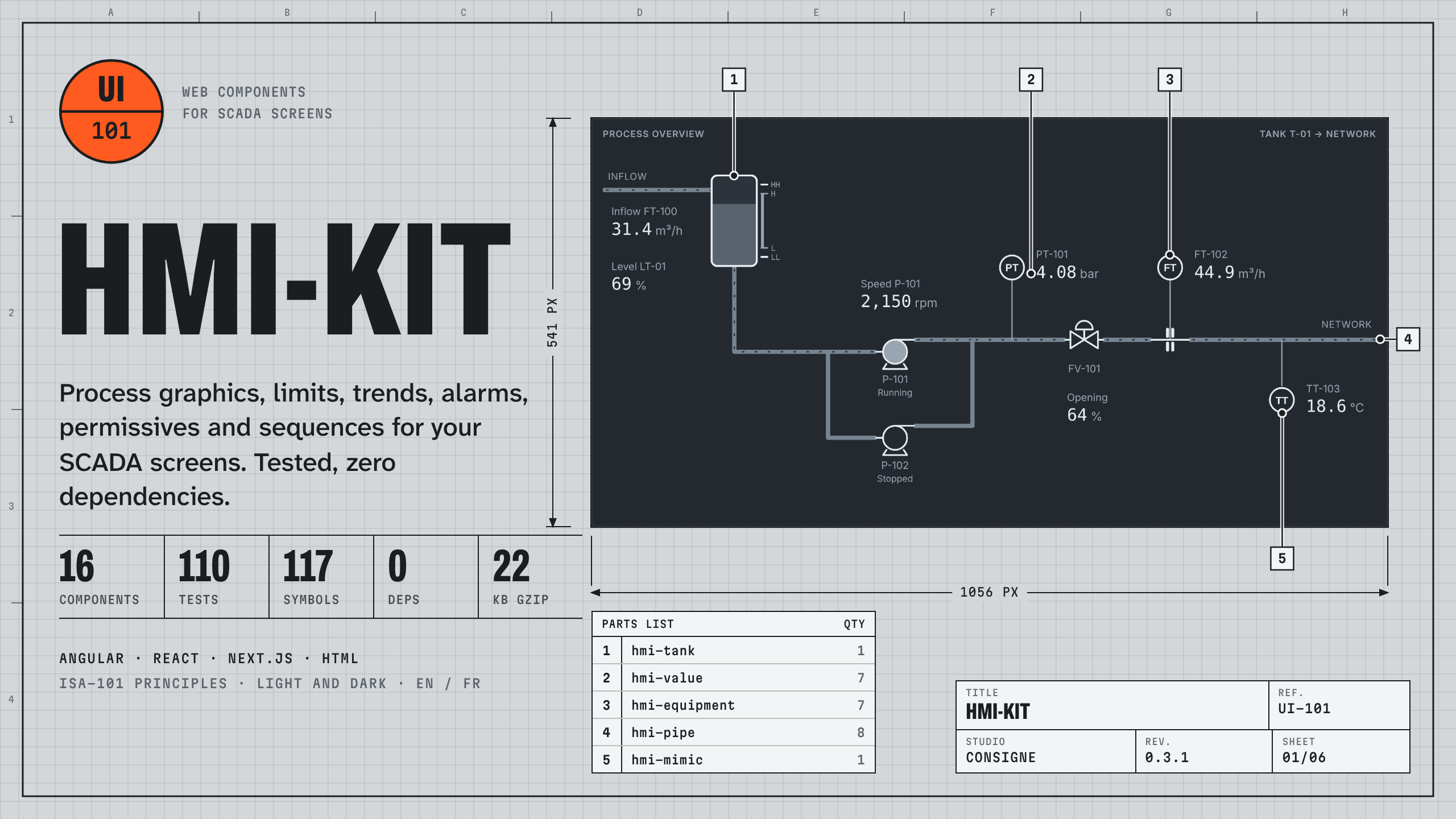
hmi-kit provides the building blocks of a supervision screen (SCADA, HMI, operations dashboard) inside a web application. You keep your framework and your data source; the kit brings the display, the alarm rules and safe commands.
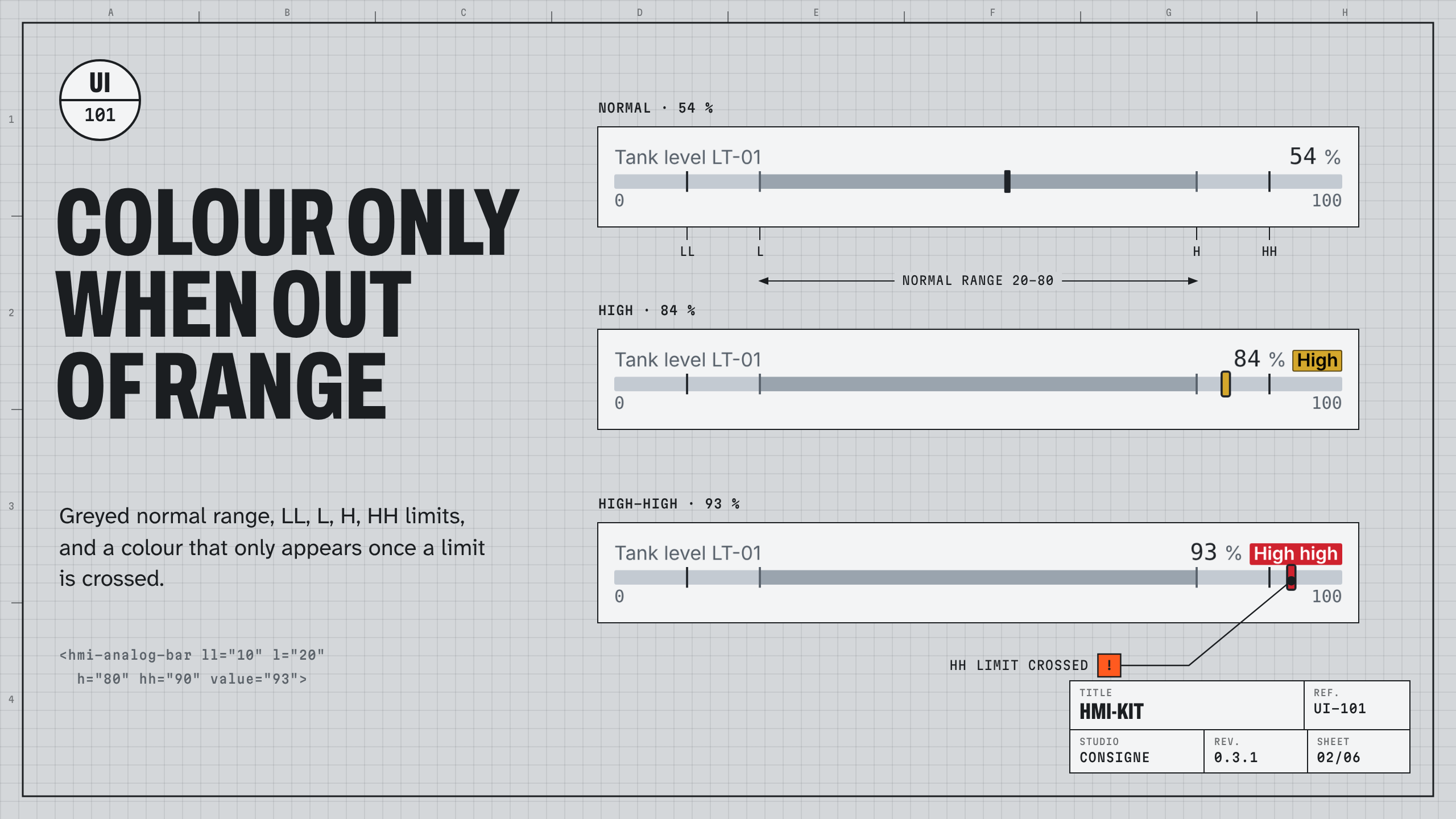
The components follow "High Performance HMI" principles: a neutral display, where colour only appears when a value leaves its normal range. They are standard Web Components, usable in Angular, React/Next.js or a plain HTML page.
What you get
- Process graphics:
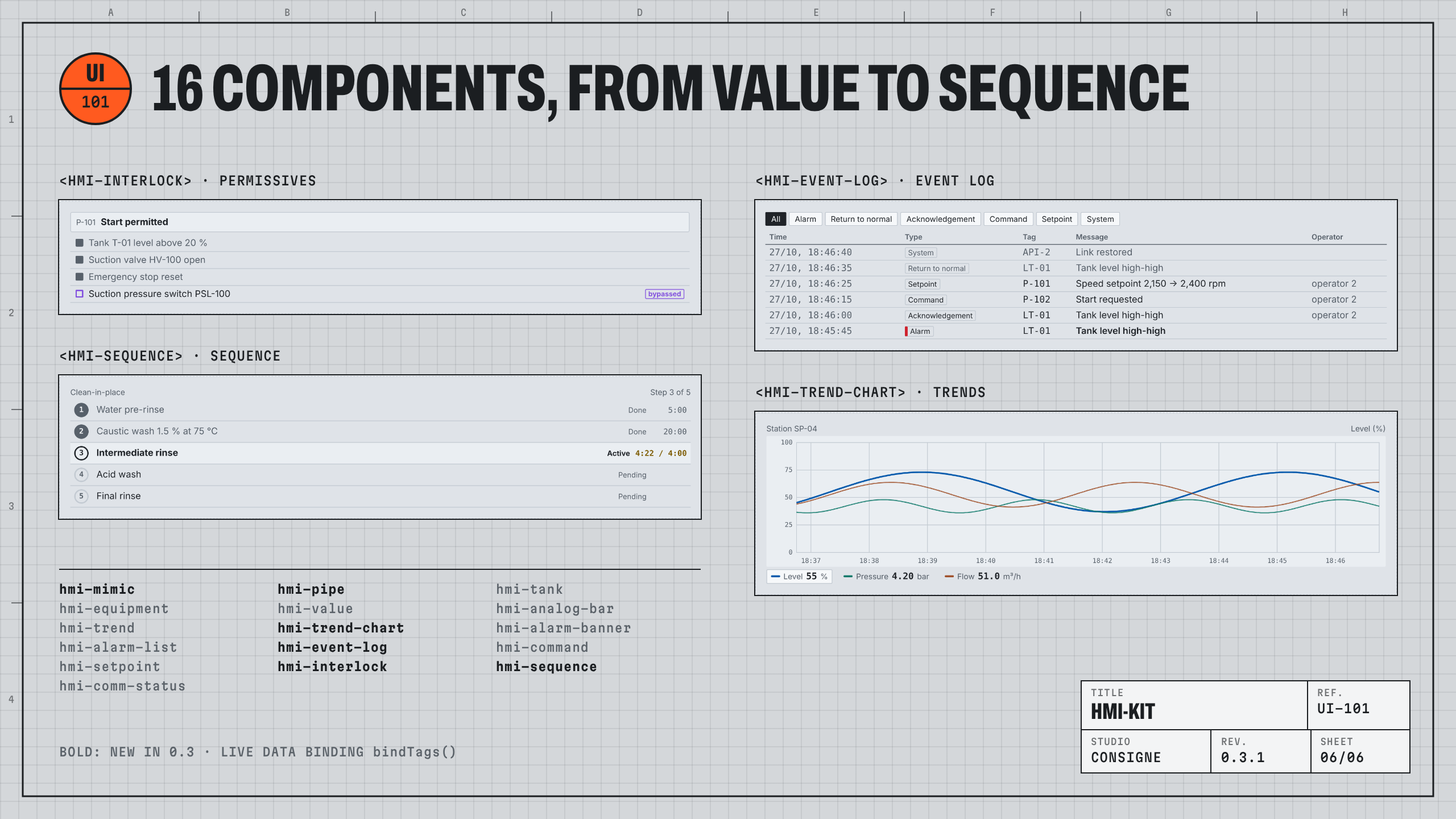
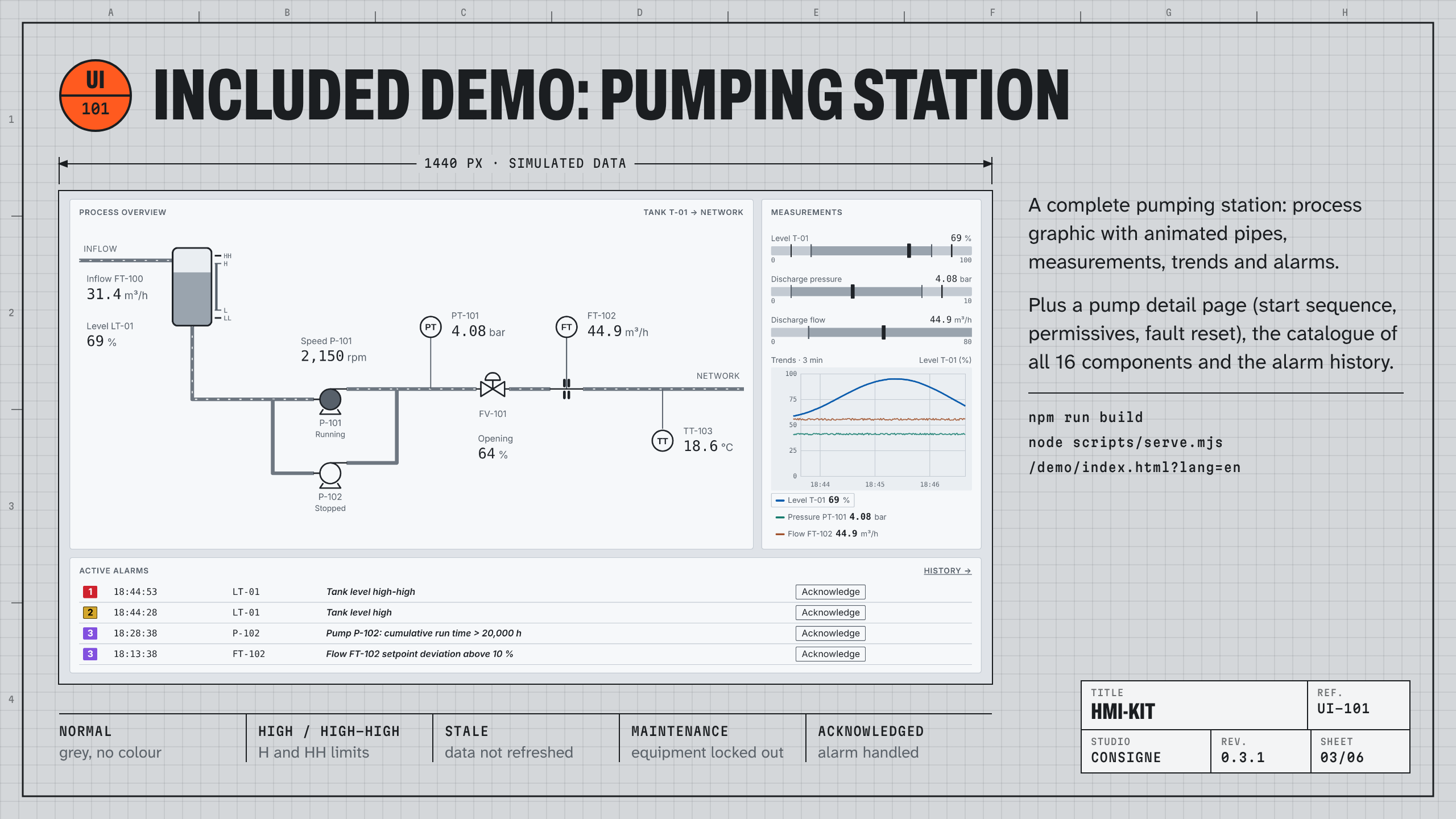
hmi-mimic(fixed-size drawing scaled to the screen),hmi-pipe(animated flowing pipes),hmi-equipment(117 P&ID symbols: pumps, valves, exchangers, HVAC, electrical… with running, stopped, open, closed, fault and maintenance states). - Measurements:
hmi-value(data quality),hmi-analog-bar(LL / L / H / HH limits),hmi-tank. - Trends:
hmi-trend-chart(multiple pens, one scale per pen, time axis, read-out cursor),hmi-trend(sparkline). - Alarms:
hmi-alarm-banner,hmi-alarm-list(priority sorting, acknowledgement),hmi-event-log(filterable log, CSV export). - Controls:
hmi-command(confirmed start / stop),hmi-setpoint(bounded setpoint),hmi-interlock(permissives, first-out, bypasses),hmi-sequence(step sequence, step timeout). - System:
hmi-comm-status(link status, data age). - Live data:
bindTagsconnects your variables to the components through adata-tagattribute, with data quality and a "stale" state when the link drops. - English and French component texts (
setLocale('en')), light and dark themes, colours as CSS variables. - 3 page templates (overview, pump detail with start sequence, alarms and event log) and an interactive catalogue of every component, all in English with
?lang=en. - Angular 21 example compiled and tested; React 19 tested; TypeScript and JSX declarations included.
- TypeScript sources, 93 Vitest tests and 17 Playwright tests, strict ESLint.
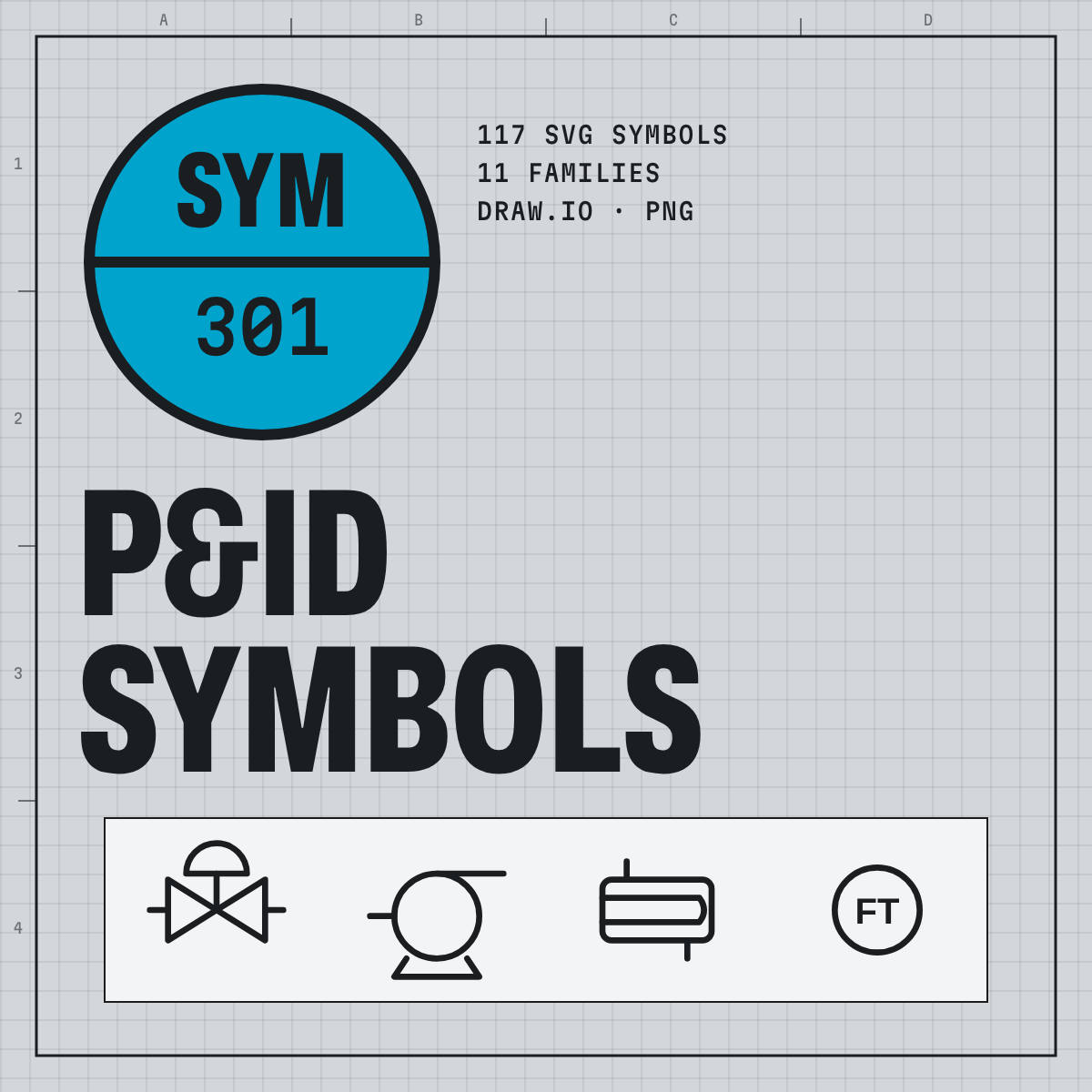
- pid-symbols 1.1.1 included: the 117 symbols as SVG, PNG and a draw.io library.
What the kit does not do
- It does not connect to any PLC or protocol (Modbus, OPC UA, MQTT…): your application reads the data and passes it on (
bindTagsor attributes). - It is not a complete SCADA package or a graphical screen editor.
- It is not ISA-101 certified: it applies some of its display principles. It is not a safety system and does not replace process safeguards.
- Component texts default to French: call
setLocale('en')once (first section of the README).
Installation
npm install the archive, or import dist/hmi-kit.min.js directly (85 KB minified, 22 KB gzipped, symbols included). Documentation in English in the README (French version included).
Licence
Commercial licence: use in an unlimited number of projects, including client projects, and distribution in compiled form; reselling or redistributing the sources is not allowed. See the LICENSE file.
Transparency
Code written with the help of an AI tool, reviewed and checked by executed tests. No real data in the demo.
FAQ (on the listing)
- Do I need a framework? No.
- How do I connect my PLC? Through your usual gateway (OPC UA, MQTT over WebSocket, API);
bindTagsapplies the values it receives. Example in the README. - React 18? Yes, by passing lists through a
ref(React 19 passes them directly). - Is there a French version? Yes: the same components switch with
setLocale('fr'), and the README exists in French. - Refund? Yes, within 14 days, if the kit does not work as described.
- Support? Write to support@consignestudio.fr.